Highly Available Web App on AWS with EC2 and Application Load Balancer
4 min read
Overview
I built a simple highly available web setup on AWS using two EC2 instances, Apache, custom User Data bootstrapping, and an Application Load Balancer (ALB).
The goal of this project was to understand how AWS networking and load balancing work in practice - including VPC design, public subnets, Internet Gateway routing, security groups, target groups, and health checks.
The final result was a web application served by two separate EC2 instances across different Availability Zones, with traffic distributed through an Application Load Balancer.

Why I built this
I wanted hands-on experience with the core infrastructure patterns used in production systems:
- running multiple compute instances
- exposing services publicly in a controlled way
- distributing traffic between healthy targets
- improving availability across multiple Availability Zones
- understanding how security groups should be tightened after testing
This project helped me move from just learning AWS services individually to seeing how they fit together as a real system.
The setup consisted of:
- 1 custom VPC
- 2 public subnets in separate Availability Zones
-
eu-west-2a -
eu-west-2b
-
- 1 Internet Gateway
- 2 EC2 t3.micro Amazon Linux instances
- Apache (httpd) installed via User Data
- 1 Application Load Balancer
- 1 Target Group
- Security Groups for controlled traffic flow
- Traffic flow
Internet → ALB → EC2 instances
The ALB received public HTTP traffic on port 80 and forwarded requests to the registered EC2 instances in the target group.
User Data bootstrapping
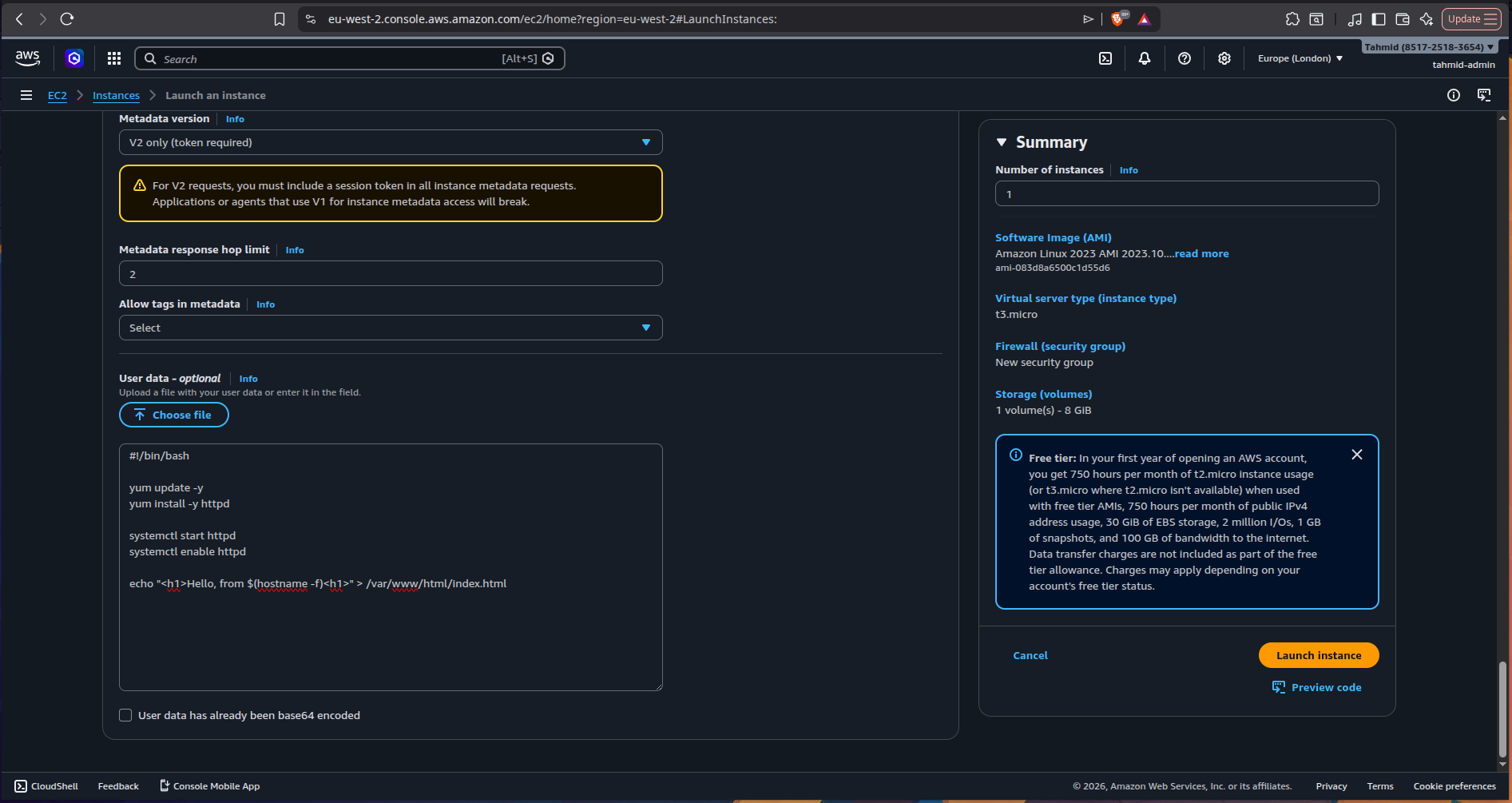
Each EC2 instance was automatically configured on launch using the following User Data script:
#!/bin/bash

yum update -y
yum install -y httpd

systemctl start httpd
systemctl enable httpd

echo "<h1>Hello, from $(hostname -f)</h1>" > /var/www/html/index.html
This allowed each instance to:
- update packages
- install Apache
- start the web server automatically
- serve a basic HTML page showing the instance hostname
Using $(hostname -f) made it easy to verify that traffic was being distributed between both instances through the ALB.
Implementation
1) Provisioned two EC2 instances
I launched two Amazon Linux t3.micro instances and used Apache to serve a simple webpage from each one.
Each instance was placed behind the same web architecture but served its own hostname, which made load balancing visible in the browser.
2) Created the networking layer
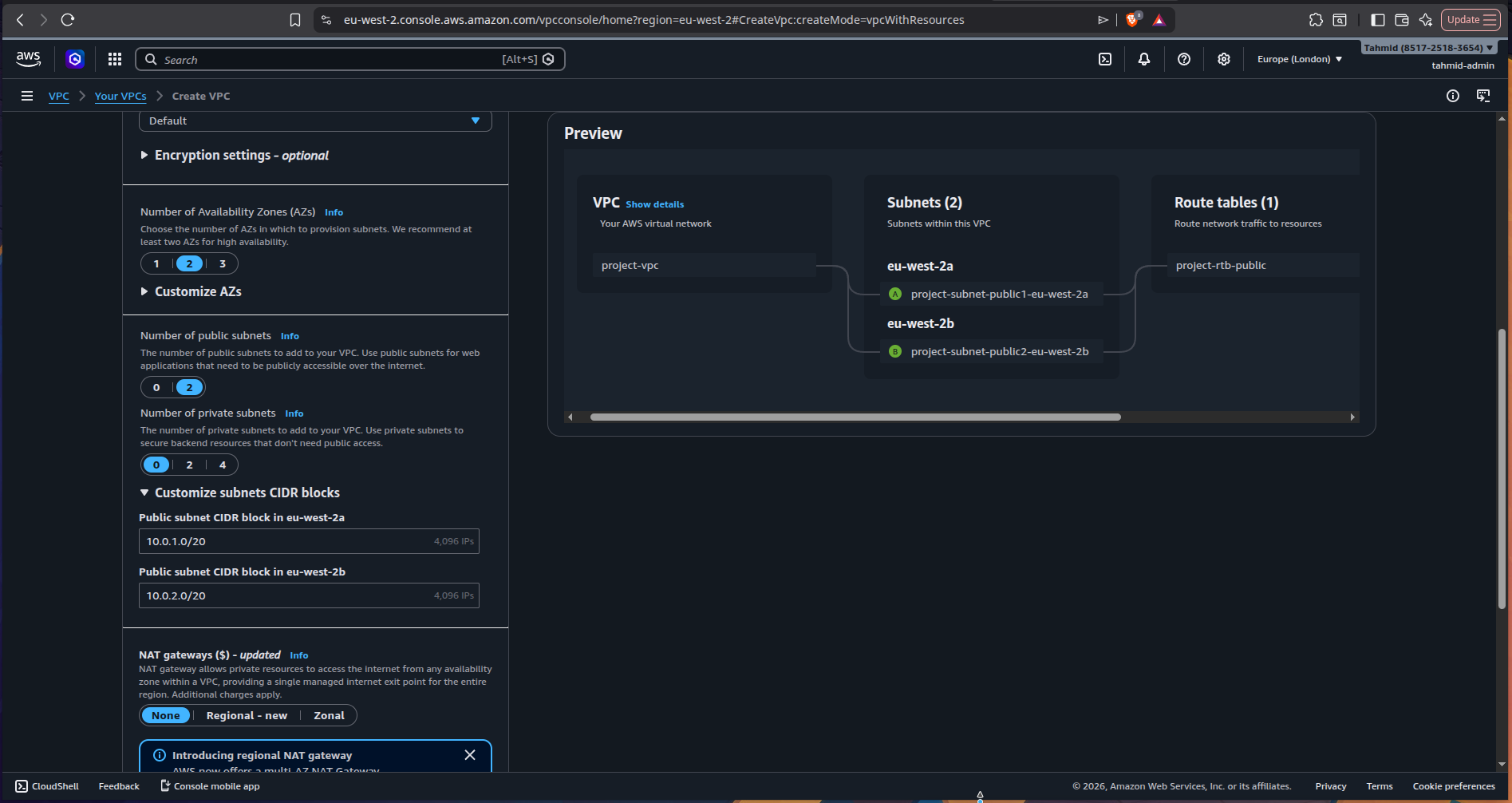
I created a custom VPC with:
- two public subnets
- an Internet Gateway
- route table associations allowing internet-bound traffic
AWS gives two option when creating a VPC - I much prefer making the VPC with the subnet and IGW combined, instead of doing it separately. I created two public subnets in two different AZs, eu-west-2a and eu-west-2b. The Internet Gateway gives a path for the public subnets in the VPC to access the internet.
3) Created the Application Load Balancer
I deployed an Application Load Balancer across the two public subnets.
The ALB was configured to:
- listen on port 80
- accept traffic from the internet
- forward requests to a Target Group
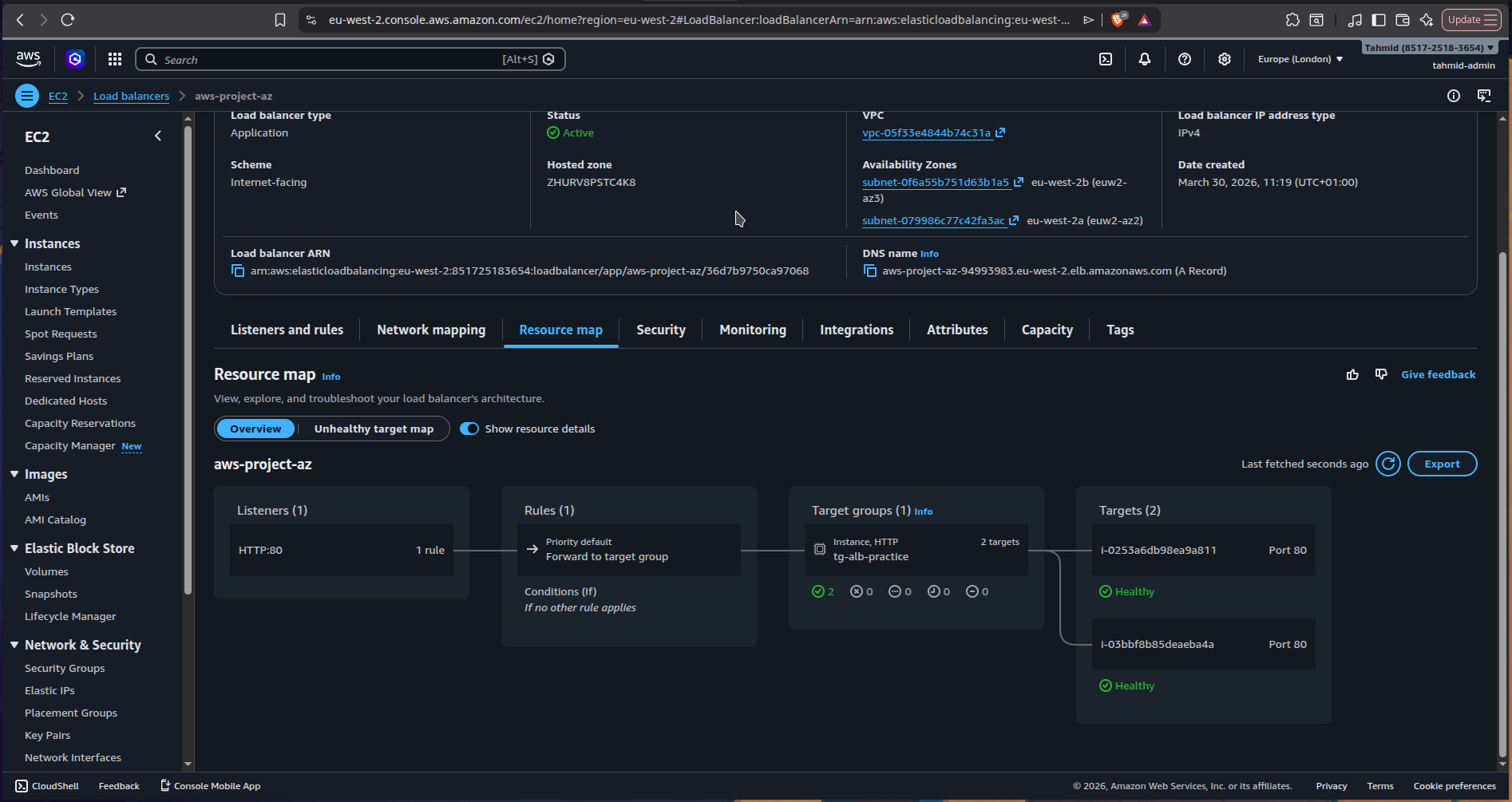
Above is the resource map for the configured ALB and its target groups
4) Registered both EC2 instances in a Target Group
I created a target group using the instance target type and registered both EC2 instances.
Health checks were configured on /
This allowed the ALB to determine whether each instance was healthy and ready to receive traffic.
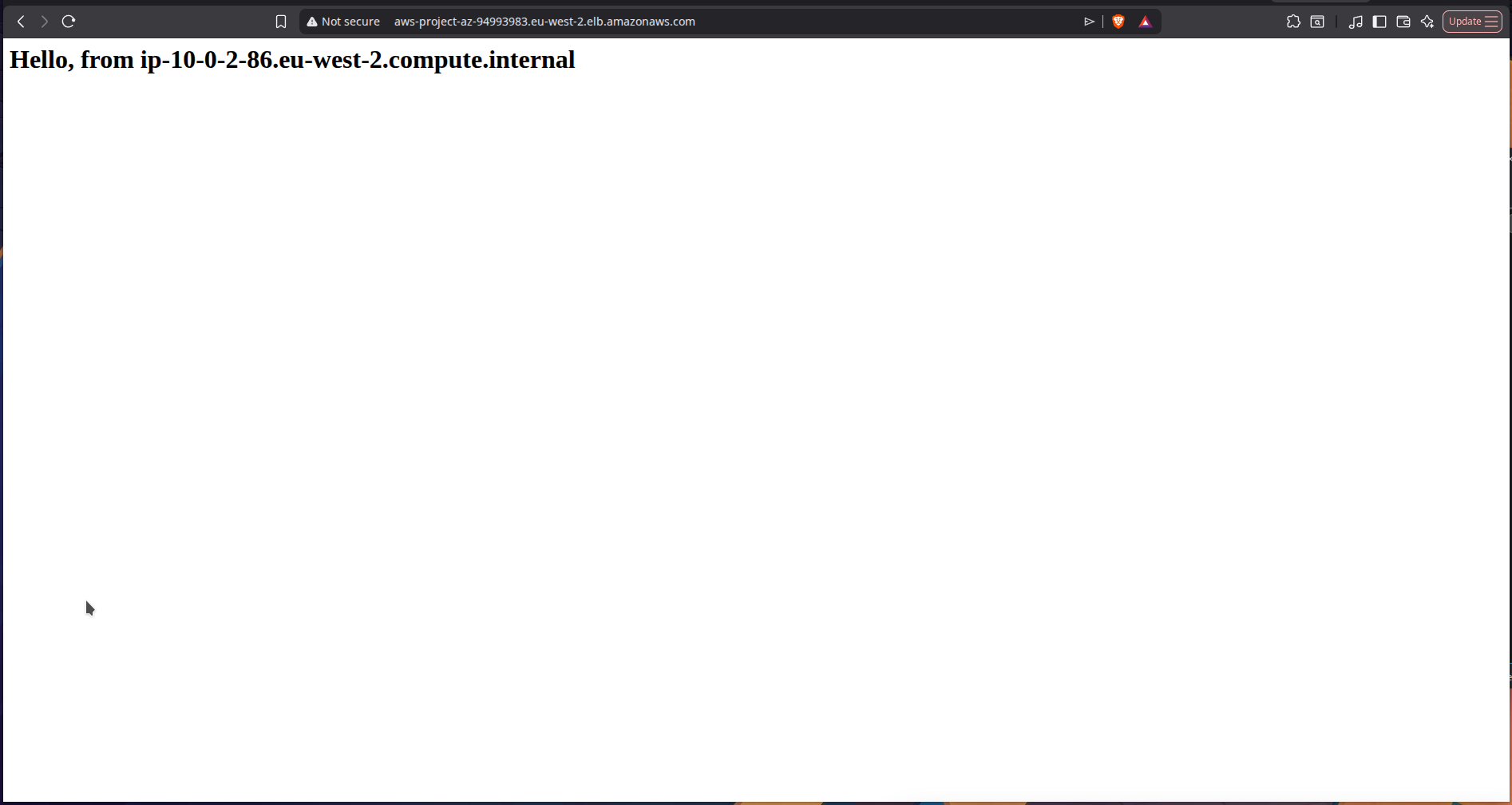
5) Verified load balancing
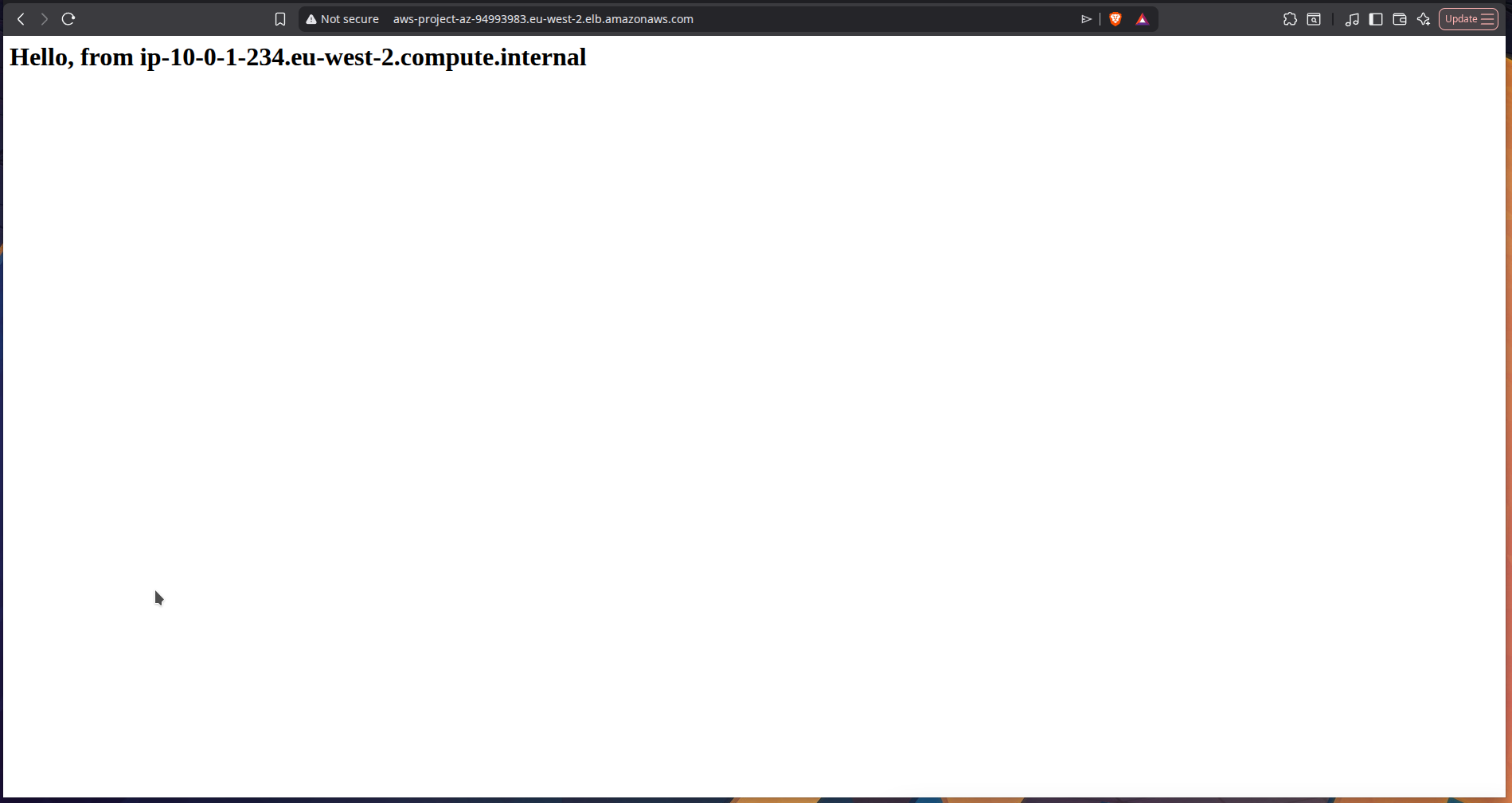
Once the ALB was active, I accessed the ALB DNS URL in the browser.
Because each instance returned its own hostname, refreshing the page showed traffic being distributed across both targets - confirming that the ALB was routing requests correctly.
Issue I ran into
Problem: Couldn’t access the instances over HTTP
At first, I couldn’t access the EC2 instances in the browser.
Cause
The issue was that I had not opened port 80 in the EC2 instance Security Group.
Fix
I updated the inbound rules to allow:
HTTP (80) from 0.0.0.0/0
This was only used temporarily to test direct browser access to the instances.
Once connectivity was confirmed, I tightened the setup properly.
Security improvement
After verifying that everything worked, I improved the security model by locking down the EC2 instances.
Instead of allowing HTTP access from anywhere, I updated the EC2 Security Group so that only the ALB Security Group could reach the instances on port 80.
That meant:
- the ALB remained public
- the instances were no longer directly exposed to the internet
This is a much closer reflection of how production systems are typically secured.

Deployed a static website on AWS using S3, CloudFront, and Route 53 with a custom domain, CDN caching, and serverless hosting.
Designed a serverless incident reporting API on AWS using Lambda, API Gateway, and DynamoDB with least-privilege IAM and CORS handling.