Deploying a Static Website on AWS with S3, CloudFront, and Route 53
5 min read
Overview
I deployed a static website on AWS using S3 Static Website Hosting, CloudFront CDN, and Route 53 with a custom domain.
The goal of this project was to understand how a modern static frontend can be hosted in a serverless, globally distributed architecture using AWS-native services. I will be using this set up to host my LumenWalk application.
This setup mirrors how production frontends are often delivered: static assets stored in object storage, cached globally through a CDN, and routed through DNS under a custom domain.
Why I built this
I wanted practical experience with the deployment pattern behind many modern frontend applications.
Instead of running a web server on a VM, this architecture allows a static site to be:
- cheap to host
- globally cached
- highly available
- easy to serve over a custom domain
- scalable without managing servers
This project helped me better understand how storage, CDN caching, and DNS fit together in AWS.
Architecture
The final setup consisted of:
- Amazon S3 for static file hosting
- CloudFront as the CDN layer
- Route 53 for DNS and domain routing
- a custom domain
- static site assets:
-
index.html -
error.html
-
Traffic flow
User → Route 53 → CloudFront → S3
This means:
- users access the site through the custom domain
- DNS resolves to CloudFront
- CloudFront serves cached content from edge locations
- CloudFront fetches the site content from S3 when needed
Implementation
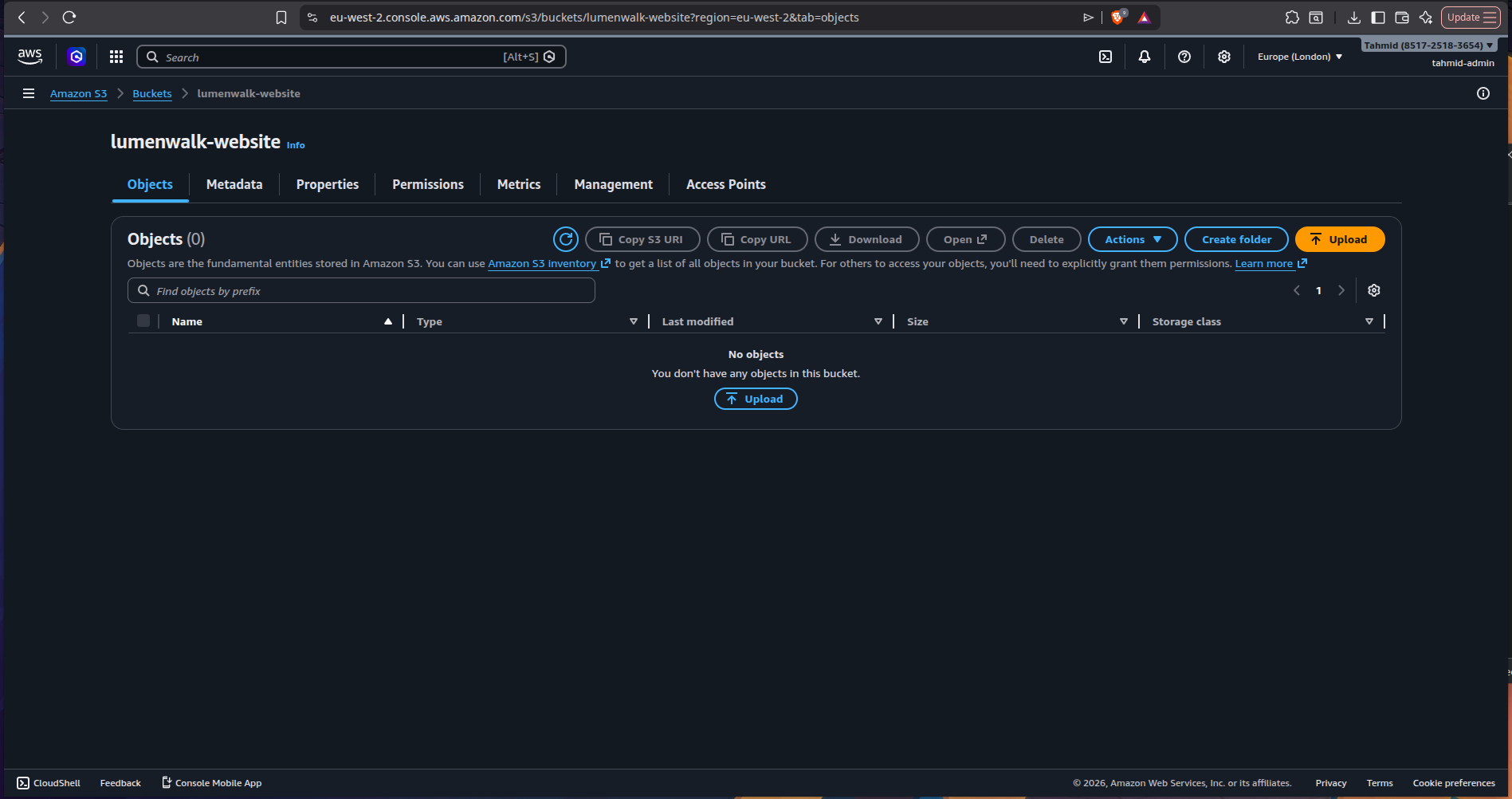
1) Created an S3 bucket for static hosting
I started by creating an S3 bucket to host the website.
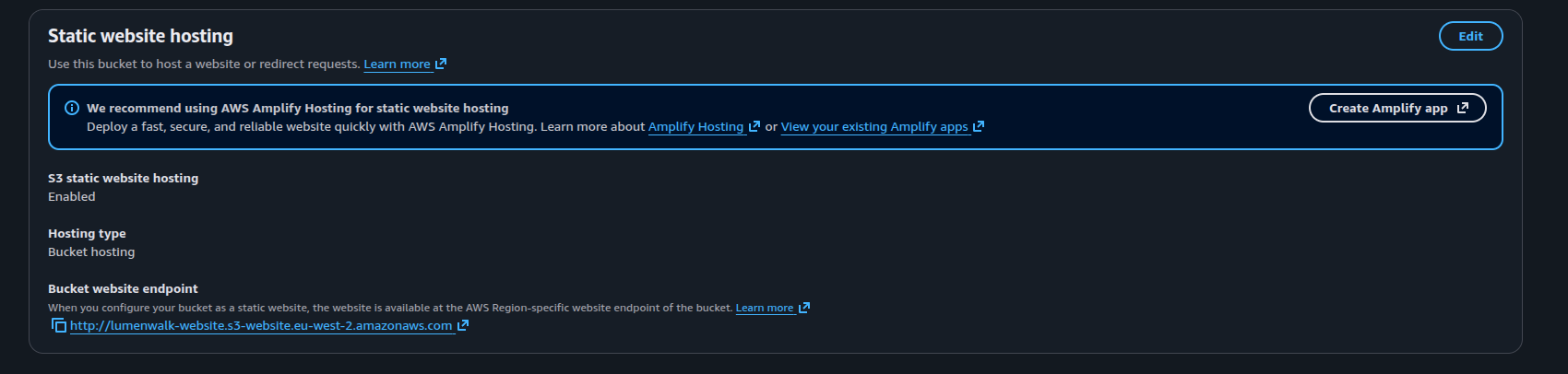
The bucket was configured for:
- Static Website Hosting
- a default index document
- a custom error document
This turned the bucket into a static web host that could serve HTML directly.
2) Configured public access and bucket permissions
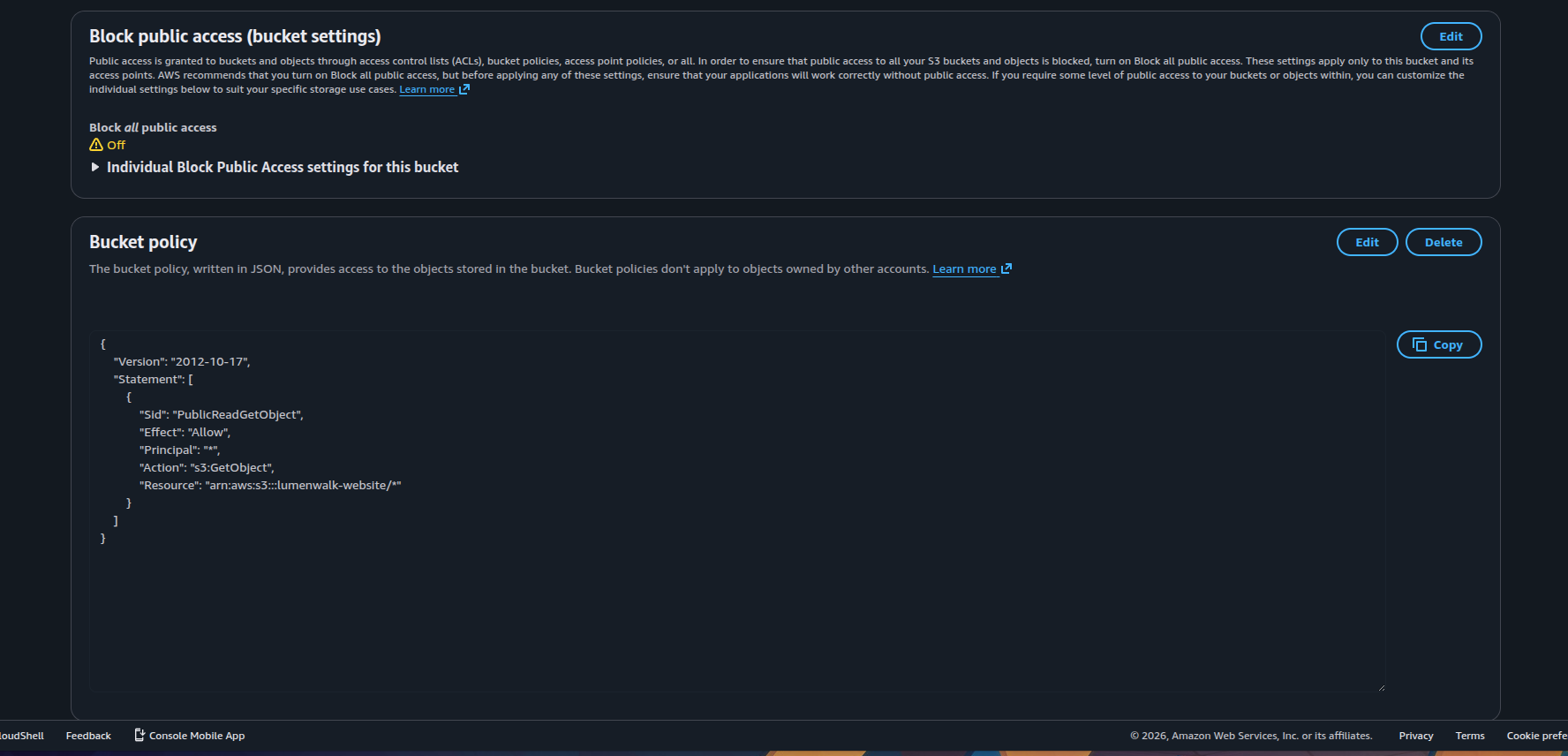
Because S3 blocks public access by default, I had to configure the bucket so the website files could be read publicly.
I updated the permissions and added a bucket policy allowing:
s3:GetObjectThis allowed browsers to retrieve the site files from the bucket.
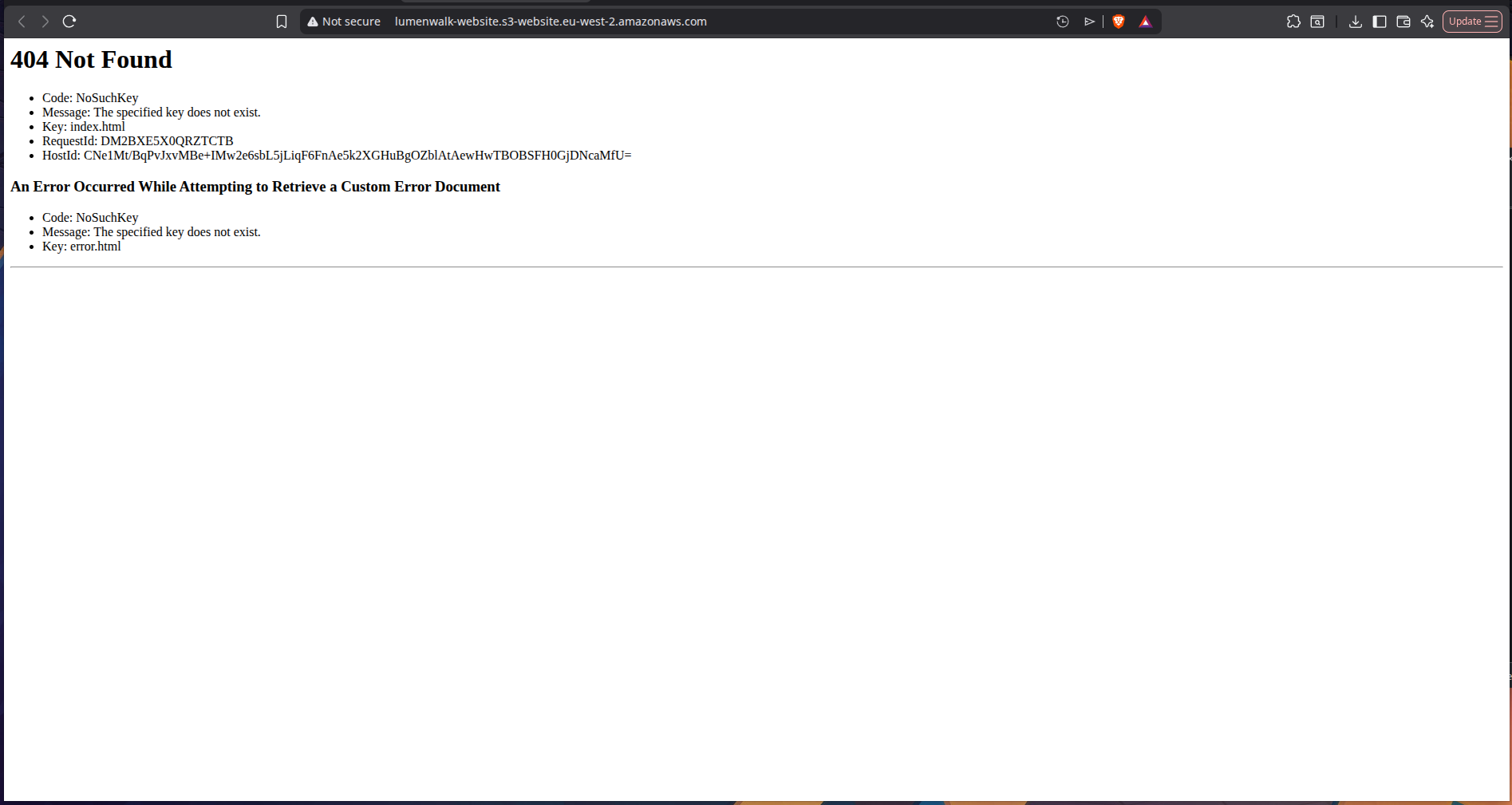
At this stage, the S3 website endpoint initially returned an error - which was expected, because the bucket was still empty.
3) Uploaded the website files
To test the setup, I uploaded:
index.htmlerror.html
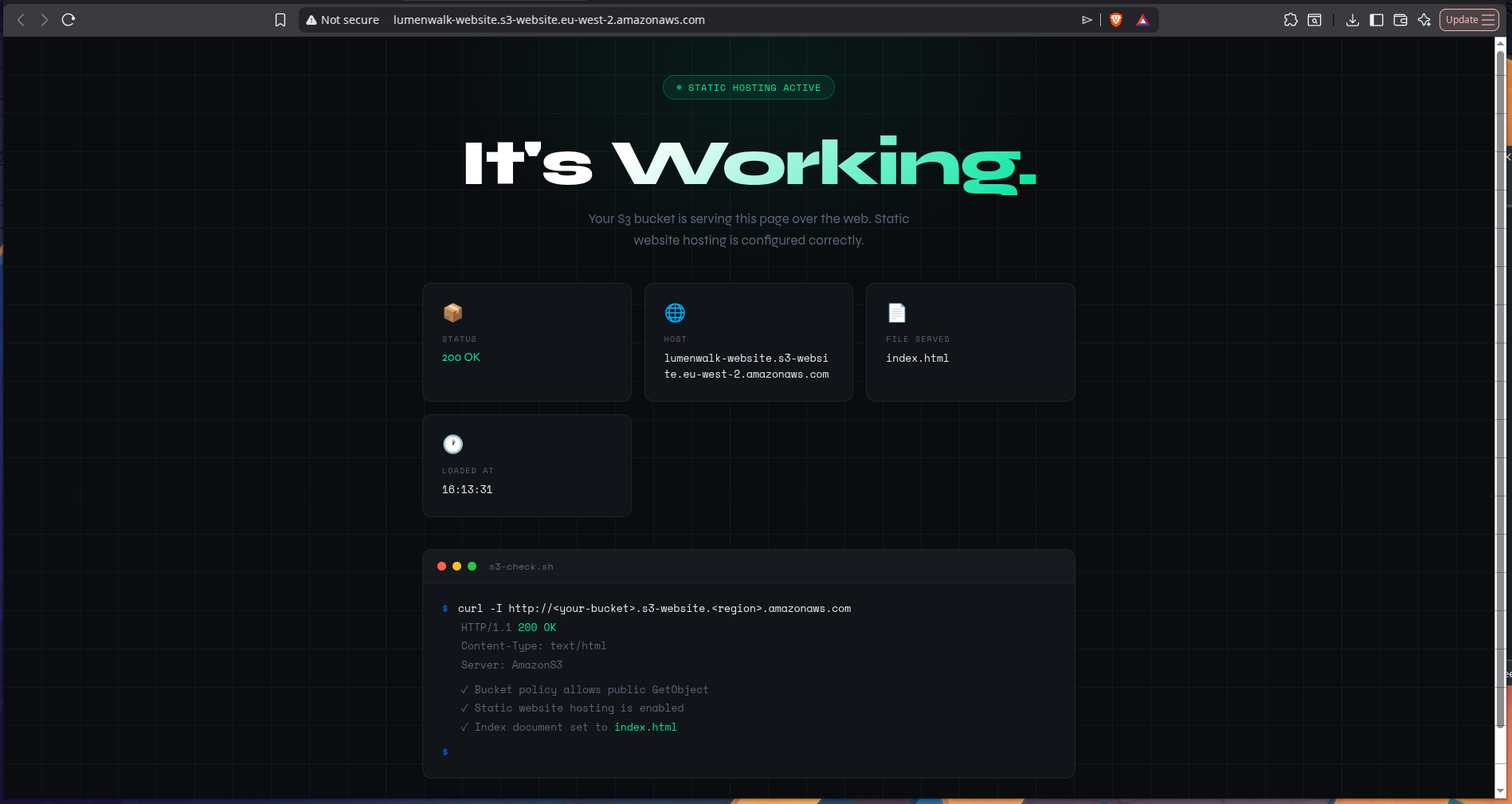
Once these files were added to the bucket, the static site loaded successfully.
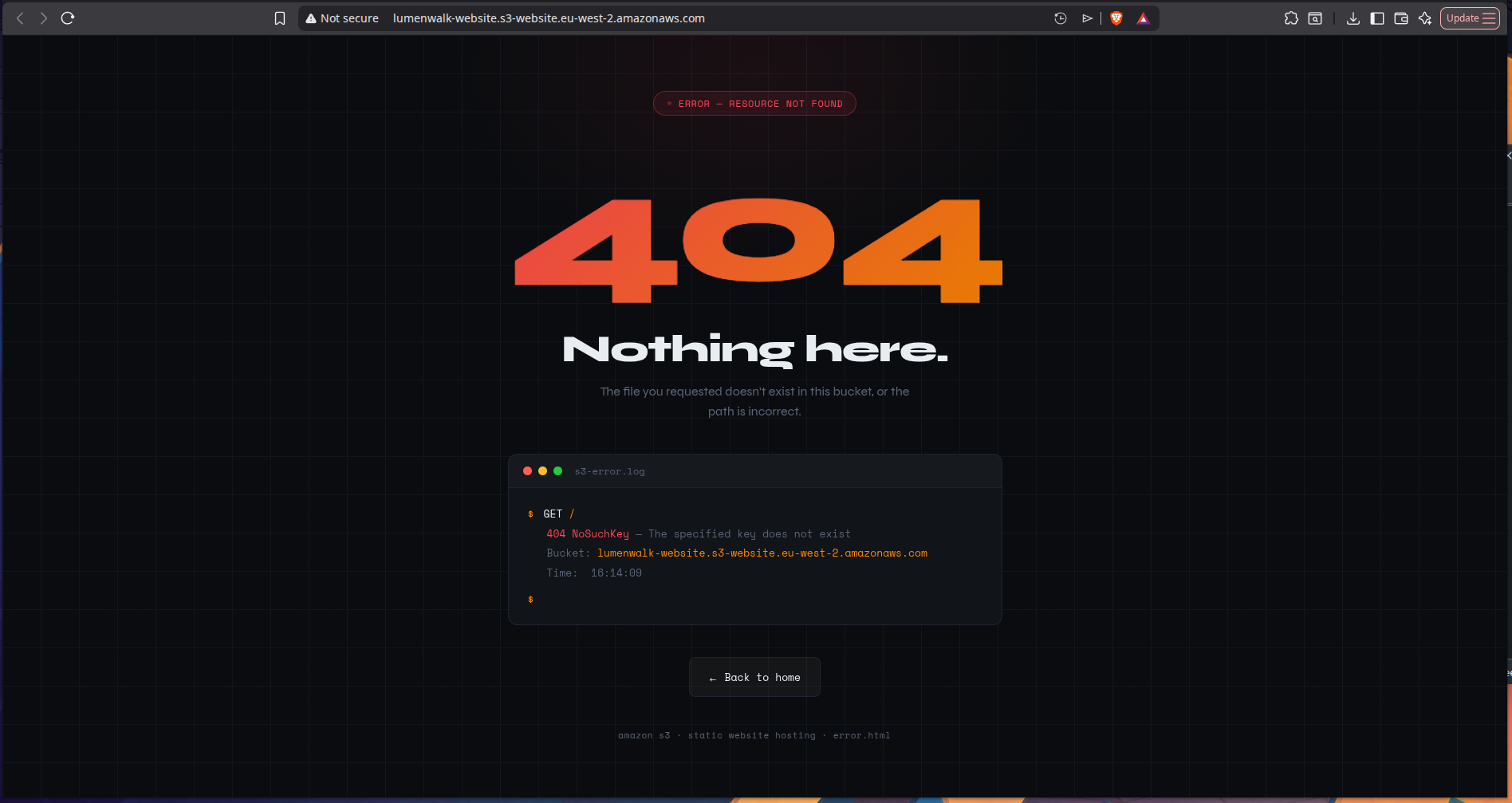
I also tested the custom error page by temporarily renaming index.html, which triggered the configured 404 behavior and confirmed that the error document was working as intended.
That was a useful reminder that static hosting is not just about “putting files in a bucket” - it also involves defining how the site behaves when content is missing.
4) Added CloudFront as a CDN
Next, I created a CloudFront distribution in front of the S3 website.
The purpose of CloudFront was to:
- cache content closer to users
- improve delivery speed
- provide a better path to production-grade hosting
- support HTTPS and custom domain routing
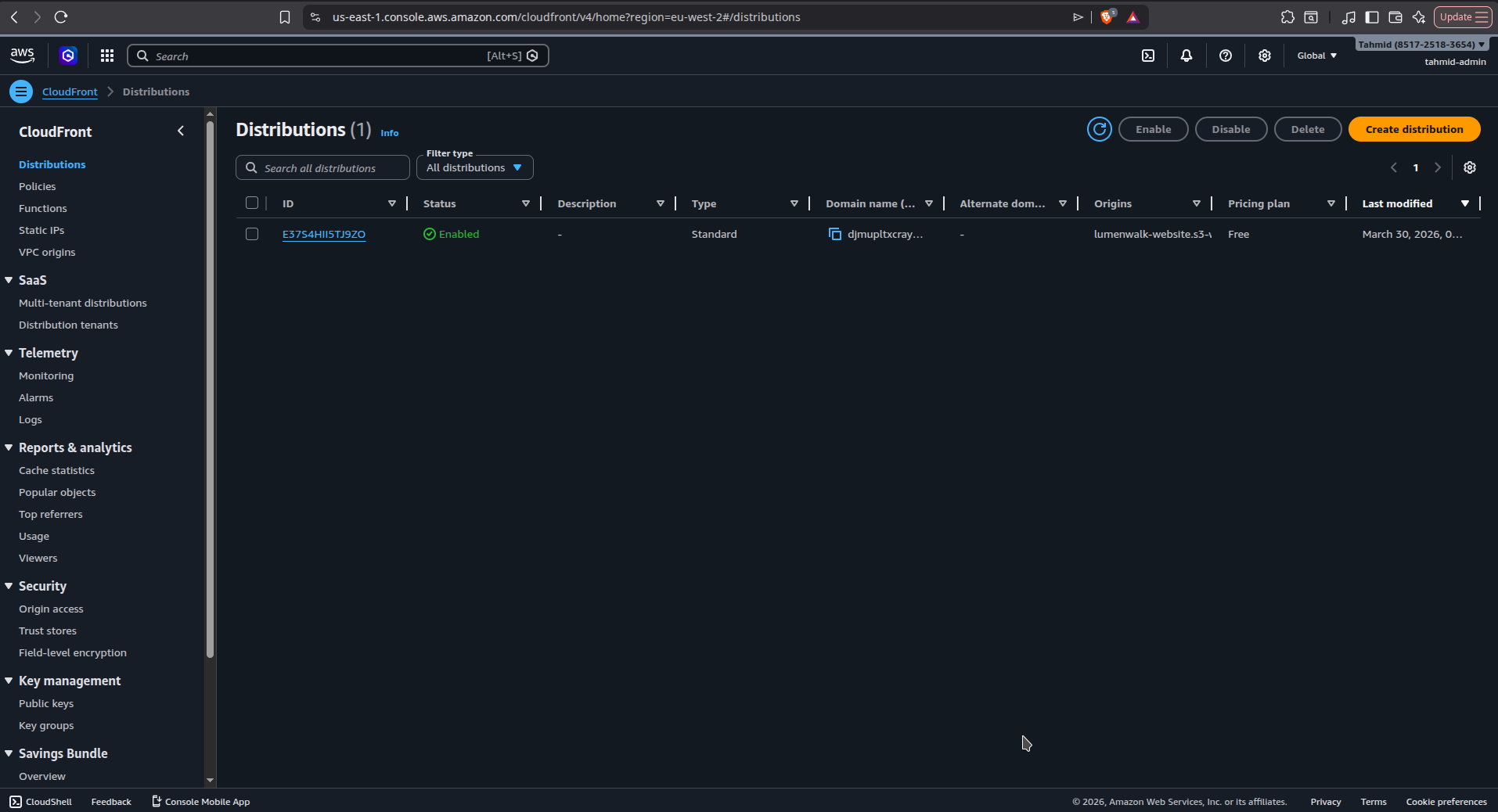
The distribution was configured with:
- the S3 bucket as the origin
- managed cache policies
- HTTPS support
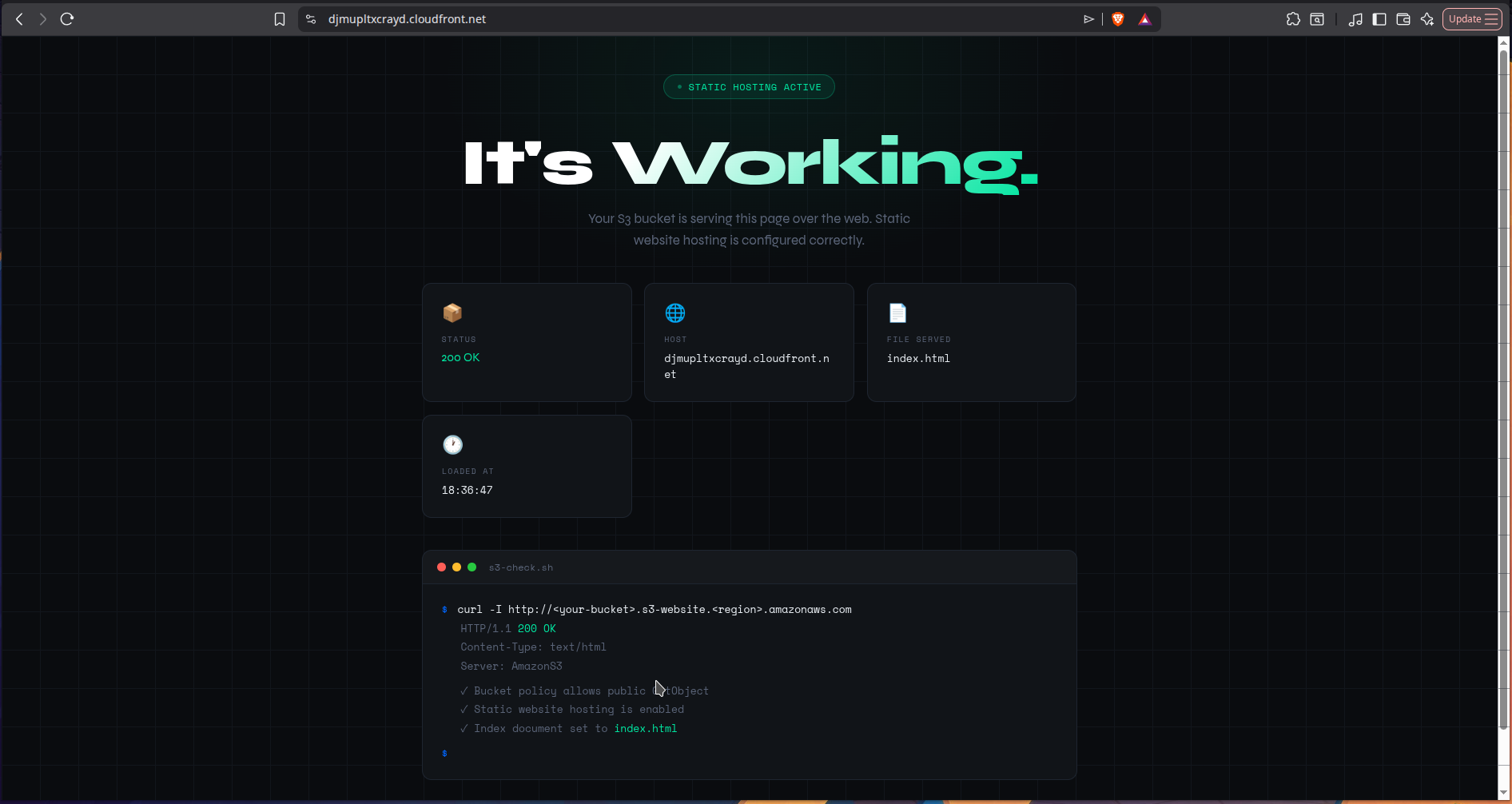
Once deployed, I could access the site through the CloudFront domain and verify that the site was being served correctly through the CDN layer.
5) Moved the domain to Route 53
To complete the setup, I moved my domain into Route 53.
This involved:
- creating a hosted zone
- updating the domain’s nameservers
- using Route 53 as the DNS provider for the domain
Moving to Route53 wasn't a necessary step, however I wanted to leverage the powerful routing features and manage my DNS fully inside the AWS ecosystem.
6) Connected the custom domain
I initially tried creating an A record (alias) in Route 53, but it wasn’t working.
Problem
The custom domain wasn’t resolving correctly.
Cause
The issue was that the domain had not yet been configured properly on the CloudFront distribution.
Fix
Once I added the custom domain configuration in CloudFront, Route 53 could correctly point the domain to the distribution.
After that, the site became accessible through the custom domain.
This was a useful lesson in how DNS records alone are not enough - the upstream service also needs to be configured to expect and serve that hostname.
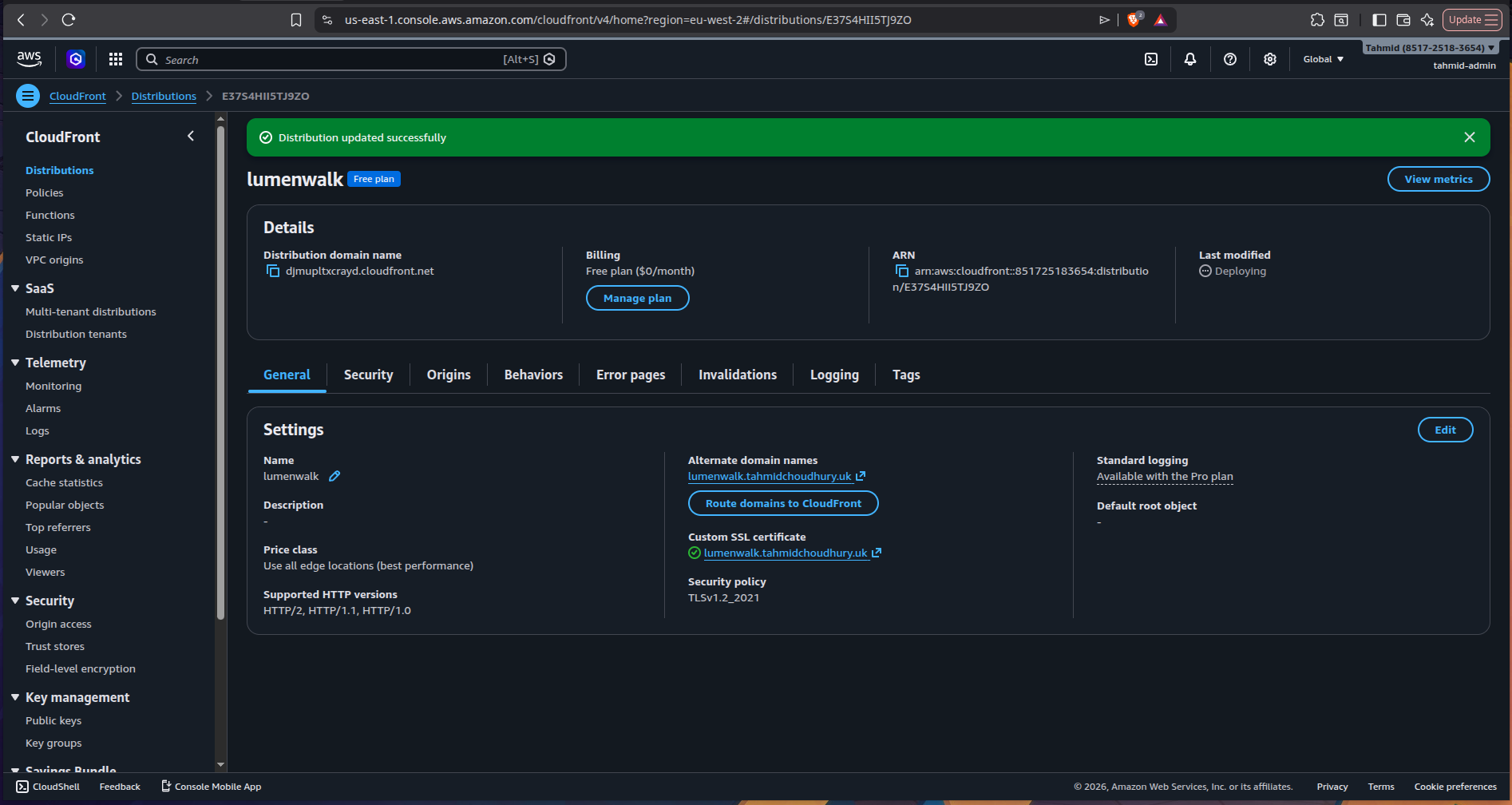
On the distribution page, you can see that there is an alternate domain name available with a verified SSL certificate
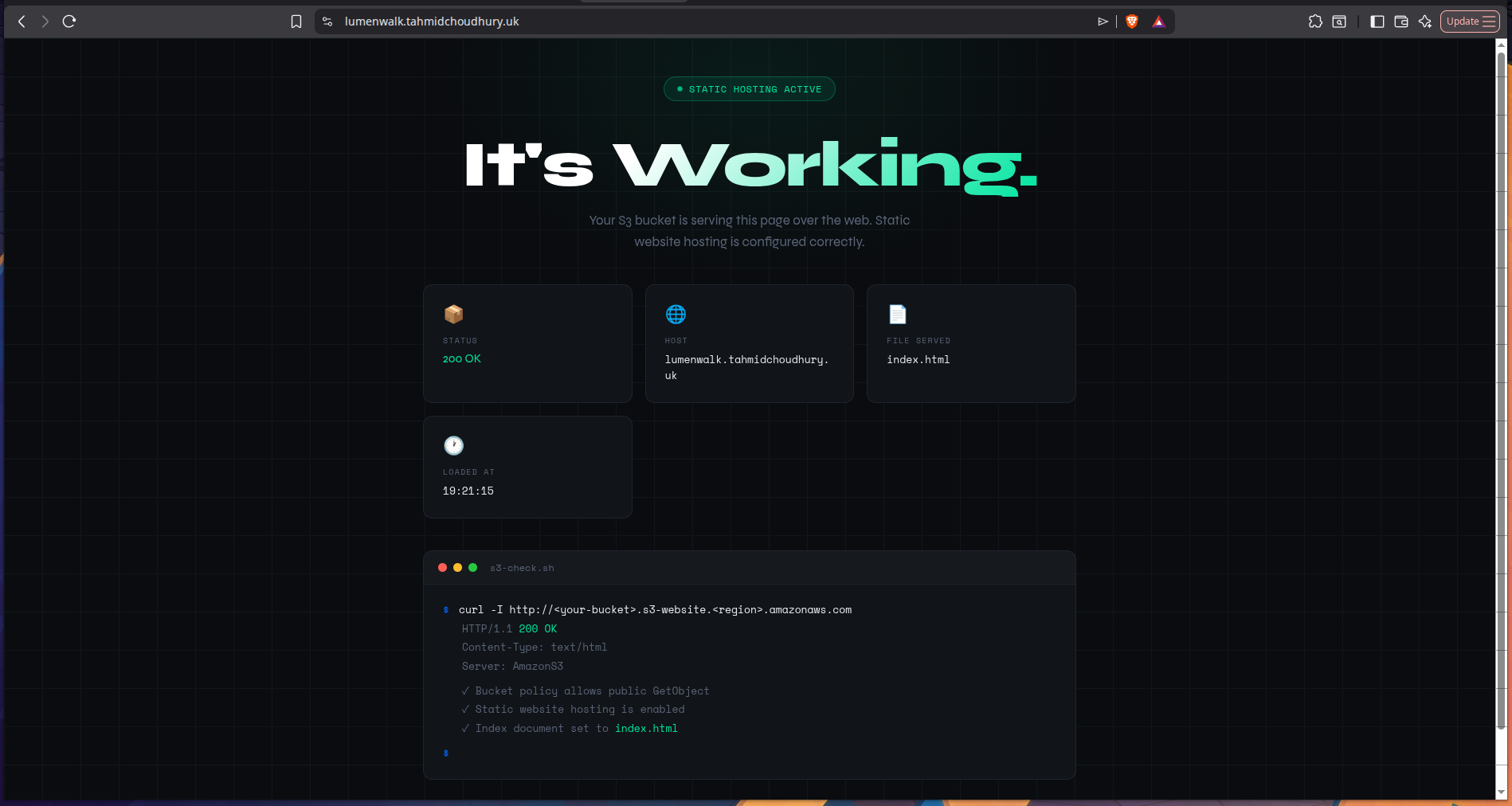
The site is pointing to the custom domain
Now I could reach the site with my custom domain, everything managed on the AWS ecosystem and readily available across the globe
What I learned
This project reinforced several important AWS concepts:
- S3 can be used to host static websites without managing a server
- Bucket permissions are critical - S3 is private by default
- CloudFront improves performance by caching content globally
- Route 53 manages DNS, but the destination service must also be configured correctly
- Custom domains require both DNS configuration and CloudFront hostname setup
- Static hosting is a strong fit for simple frontend deployments
Tech stack
- AWS S3
- AWS CloudFront
- AWS Route 53
- HTML
- DNS
- CDN caching
- Static website hosting
Outcome
By the end of the project, I had a working static site hosted on AWS with:
- a publicly accessible frontend
- CloudFront CDN delivery
- a custom domain managed through Route 53
- custom error handling
- a serverless hosting architecture
This project gave me a much clearer understanding of how frontend hosting works at the infrastructure level - especially the relationship between storage, caching, and DNS.
I provisioned two EC2 instances across separate Availability Zones and placed them behind an Application Load Balancer to simulate a simple highly available web architecture.
Designed a serverless incident reporting API on AWS using Lambda, API Gateway, and DynamoDB with least-privilege IAM and CORS handling.